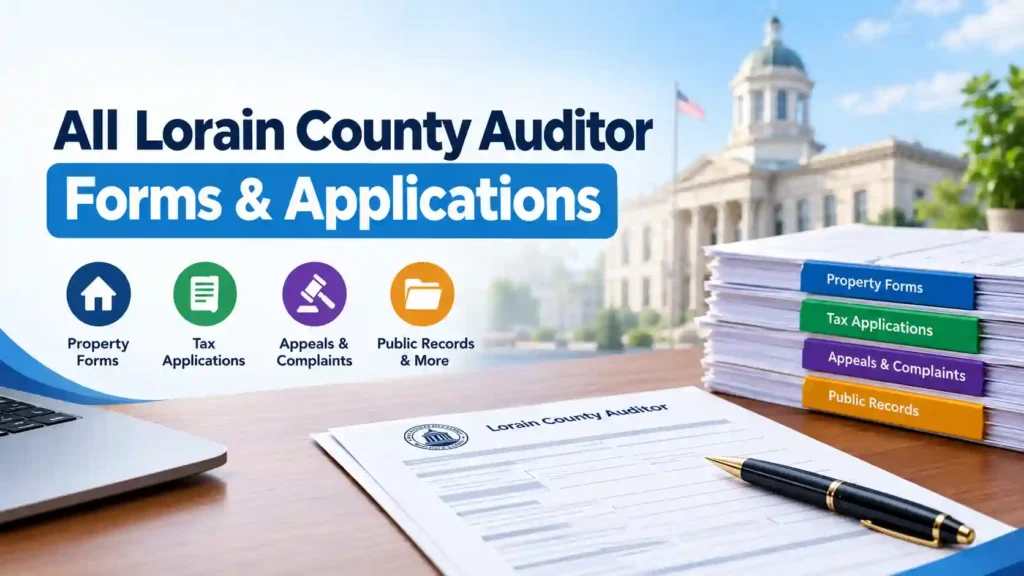
Finding the right form can help you transfer property, apply for property tax relief, appeal a property value, or request public records in Lorain County. The Lorain County Auditor provides forms, instructions, and useful resources for property owners, buyers, sellers, farmers, businesses, and residents.
This guide brings these resources together in one place. You can find the form you need, understand its purpose, and review the instructions before filling it out or submitting it.
How to Find and Use the Right Lorain County Auditor Form
Start by identifying what you need to do. A property sale or transfer may require a conveyance form, while a disagreement about a property’s assessed value may require a Board of Revision complaint. Homeowners seeking tax relief should review the relevant exemption or owner-occupancy application.
Before using a form, check its full title, purpose, eligibility requirements, and submission instructions. Some resources are applications, while others are worksheets, reference documents, reports, or instructional materials. Not every document needs to be completed or submitted.
The following categories group the available resources by their main purpose. Select the category that best matches your situation, then open the relevant document for its specific instructions.
1. Property Conveyance and Transfer Forms
These forms and resources relate to transferring real estate ownership, reporting a transaction, and meeting the county’s conveyance requirements. They may be needed by property buyers, sellers, title companies, attorneys, or other professionals involved in a transfer.
- DTE 100: Real Property Conveyance Form
Used to report a real property transfer. Complete the transaction and property information requested on the form. - DTE 100EX: Real Property Exempt Conveyance Form
Used when a property transfer may qualify for an exemption from the conveyance fee. The transaction must meet the applicable exemption requirements. - DTE 101: Statement of Conveyance of Homestead Property
Provides information about a homestead exemption associated with a property transfer. It may need to accompany the applicable conveyance form when the conditions described in the document apply. - DTE 102: Statement of Conveyance of CAUV Property
Relates to transferring property receiving Current Agricultural Use Value (CAUV) treatment. Review the form to determine the information required for the transaction. - Extra Parcels Worksheet
A supporting worksheet for transactions involving additional parcels. Check the county’s transfer instructions to determine when it is required. - E-File Vendor List
Lists electronic filing vendors for eligible real property conveyances. - E-Transfer Instructions for Lorain County Auditor
Explains the county’s rules for electronic property transfers. Review these instructions before submitting a transaction electronically. - Lorain County Standards for Land Conveyances
Provides standards related to land conveyances, including requirements that may affect parcel descriptions and land transfers.
Submission requirements: According to the county’s real estate transfer instructions, real property conveyances are accepted in person or through approved electronic filing. Manufactured home transfers must be submitted in person. The county also requires conveyance forms to be typed and completed in full. Check the current rules for submission cut-off times, required documents, and applicable fees.
2. Board of Revision Forms and Property Valuation Appeals
The Board of Revision (BOR) reviews eligible complaints involving property valuation and certain other assessment matters. These resources may be useful if you believe a property’s assessed value is incorrect or need to challenge an assessment issue covered by the Board of Revision process.
Before filing a valuation complaint, it may help to understand how property values are assessed. Our Lorain County Property Value Assessment Guide explains the assessment process.
- Board of Revision Filing Instructions for Lorain County
Explains the complaint process and filing requirements. Read the instructions before completing a complaint. - DTE 1: Complaint Against the Valuation of Property
Used to challenge the valuation of real property. The form requests information such as the property owner, address, parcel number, and basis for the requested change. - DTE 1M: Complaint Against the Valuation of a Manufactured or Mobile Home Taxed Like Real Estate
Intended for valuation complaints involving manufactured or mobile homes taxed like real estate. - DTE 2: Complaint Against Assessment of Real Property Other Than Market Value
Used for certain assessment issues other than market value, including matters specified in the form’s instructions. - DTE 4: Notice of Appeal to the Board of Tax Appeals
Relates to appealing a county Board of Revision decision to the Ohio Board of Tax Appeals. Review the applicable appeal procedures and deadline. - DTE 26: Application for Valuation Deduction for Destroyed or Damaged Property
Used to request a valuation deduction for qualifying property that has been destroyed or damaged. - DTE 106B: Homestead Exemption and Owner-Occupancy Reduction Complaint
Used for a complaint involving a homestead exemption or owner-occupancy reduction, as covered by the form. - Guide to Board of Revision Hearings
A video resource explaining the Board of Revision hearing process.
Check the filing deadline before submitting a complaint. Deadlines depend on the applicable tax year and filing rules. The county’s Board of Revision page provides current filing information, instructions, and hearing resources.
3. Homestead Exemption Forms
Ohio’s homestead exemption can reduce property taxes for eligible homeowners. Qualification depends on the applicable rules and may involve age, disability, qualifying surviving-spouse status, or eligible military service.
- DTE 105A: Homestead Exemption Application
The main application for homeowners who meet the applicable homestead exemption requirements. - DTE 105B: Continuing Application for Homestead Exemption
Used to report changes in eligibility when required. The form explains when it must be returned. - DTE 105E: Certificate of Disability for the Homestead Exemption
A supporting certificate related to disability for homestead exemption purposes. - DTE 105G: Homestead Exemption Application Addendum
An addendum associated with applications for senior citizens, disabled persons, and qualifying surviving spouses. - DTE 105H: Homestead Exemption Application Addendum
An additional document for circumstances covered by its instructions. Check the form to determine whether it applies to your application. - DTE 105I: Homestead Exemption Application for Disabled Veterans and Surviving Spouses
Intended for eligible disabled veterans and qualifying surviving spouses. - DTE 105K: Homestead Exemption Application for Surviving Spouses of Public Service Officers
Relates to the exemption for qualifying surviving spouses of public service officers killed in the line of duty. - Homestead Exemption FAQs
Provides additional information about eligibility and common homestead exemption questions.
Choose the form that matches your eligibility category. Review the county’s homestead exemption information for current requirements, application periods, and supporting documents.
4. Property Tax Penalty and Appraisal Resources
These resources cover requests to remit certain late-payment penalties and provide property appraisal information.
- DTE 23: Application for Remission of Real Property Late Penalties
Used to request remission of qualifying late-payment penalties associated with real property taxes. Approval depends on the applicable requirements. - DTE 23A: Application for Remission of Manufactured Home Late Penalties
Relates to requests to remit qualifying late-payment penalties involving manufactured homes. - 2024 Reappraisal Sales Book
A reference document related to the county’s 2024 reappraisal and sales information. It is a reference resource, not an application to change a property’s value.
A penalty remission request is different from a valuation complaint. Use the form that matches your situation and check its instructions before filing.
5. CAUV and Agricultural District Forms
The Current Agricultural Use Value (CAUV) program allows qualifying farmland to be valued according to its agricultural use rather than its potential value for development. These forms and references are relevant to farmland owners and applicants dealing with agricultural valuation or agricultural district status.
- 2024 ODT CAUV Value Explanation
Explains CAUV valuation information for 2024. Its figures are year-specific and should not be assumed to apply to other tax years. - 2025 Farm Bureau Presentation
An informational presentation about farmland and agricultural valuation topics. - CAUV Gross Income Worksheet
Helps organize gross-income information relevant to certain CAUV situations. Check the current requirements to determine whether it is needed. - CAUV Guidelines
Provides background on the CAUV program. Because this document is dated 2019, verify current rules before relying on it for an application. - DTE 109: Initial Application for the Valuation of Land at Its Current Agricultural Use
Used to apply for CAUV treatment for qualifying land. - DTE 109A: Current Agricultural Use Valuation Renewal Application
Used to renew CAUV valuation when required. - Lorain County CAUV Soil Values
Provides county-specific soil value information used in agricultural valuation. Confirm the applicable tax year before using the figures. - Lorain County Soil Survey, 1976
A historical soil survey that may be useful as a reference for agricultural land and soil information. - ODA Form 11: Application for Placement of Farmland in an Agricultural District
Used to apply for placement of qualifying farmland in an agricultural district. Review the current Ohio Department of Agriculture requirements before filing. - Request for CAUV Recoupment on Converted Land
Relates to CAUV recoupment when land is converted from qualifying agricultural use.
Before applying, confirm current eligibility, filing periods, and documentation requirements. The county’s CAUV and Agricultural District page provides additional program information.
6. Owner-Occupancy Tax Reduction Forms
The owner-occupancy tax reduction may provide tax relief for qualifying homeowners who occupy their property as their primary residence.
- DTE 105C: Application for Owner-Occupancy Tax Reduction
Used to apply for the owner-occupancy reduction on eligible real property. - DTE 56: Application for Owner-Occupancy Tax Reduction on Manufactured Homes Taxed Like Real Estate
Intended for qualifying manufactured or mobile homes taxed like real estate.
Owner-occupancy relief and the homestead exemption are separate programs. Check the relevant instructions to determine which application applies to your property.
If you’re reviewing potential property tax costs, our Lorain County Auditor Tax Calculator can help you estimate property taxes.
7. Property Tax Exemption Forms
These forms cover different property tax exemption matters, including applications, renewals, complaints, and supporting authorizations. The correct document depends on the property and the exemption involved.
- DTE 23B: Complaint Against the Continued Exemption of Real Property from Taxation
Used to challenge the continued exemption of real property from taxation. - DTE 23C: Withholding Consent for the Remission of Taxes, Penalties, and Interest
Relates to withholding consent for remission of taxes, penalties, and interest in circumstances covered by the form. - DTE 23N: Notice of Loss of the Right to Real Property Tax Exemption
Used in connection with notification of the loss of a real property tax exemption. - DTE 23V: Veterans’ and Fraternal Organization Tax Exemption Renewal Application
Used to renew a qualifying veterans’ or fraternal organization’s tax exemption. - DTE 24: Application for Real Property Tax Exemption and Remission
Used to apply for real property tax exemption and remission under applicable provisions. - DTE 24P: Power of Attorney for Real Property Tax Exemption Application
Relates to authorization for a representative to act in connection with a real property tax exemption application. - DTE 24R: Pre-Residential Property Application for Tax Exemption and Remission
Relates to tax exemption and remission for property covered by the form’s pre-residential property classification.
Exemption forms are not interchangeable. Read the full title and instructions, and confirm eligibility before submitting an application or complaint.
8. Manufactured and Mobile Home Forms
Manufactured and mobile home transactions can have requirements that differ from ordinary real estate transfers. These documents cover conveyance, registration, tax treatment, damaged homes, and installation.
- DTE 100M: Manufactured and Mobile Home Conveyance Fee Statement of Value and Receipt
Used in connection with the conveyance of a manufactured or mobile home. - DTE 100M(EX): Statement of Reason for Exemption from Manufactured and Mobile Home Conveyance Fee
Used when a manufactured or mobile home transfer may qualify for an exemption from the conveyance fee. - DTE 23A: Application for Remission of Late-Payment Penalties
Relates to remission of qualifying late-payment penalties involving manufactured homes. This form is also listed under property tax penalty resources. - DTE 41: County Manufactured and Mobile Home Registration Certificate
A registration-related document for manufactured or mobile homes. - DTE 49: Application for Tax Refund or Waiver for Destroyed or Damaged Manufactured Homes
Used for a tax refund or waiver request involving a qualifying destroyed or damaged manufactured home. - DTE 55: Election to Have a Manufactured or Mobile Home Taxed Like Real Property
Used to elect real-property tax treatment when the applicable requirements are met. - Notice of Home Installation
Provides notice of a manufactured or mobile home installation.
Confirm the correct process before filing. Manufactured home transactions may require different forms and submission procedures from standard real estate transfers.
9. Property Class Codes
Property class codes help identify how a parcel is categorized in county property records. They can be useful when reviewing assessment information or trying to understand a property’s recorded classification.
- Lorain County Class Code List
Provides a reference list of property class and land-use codes. Use it to interpret a classification shown in property records, and contact the county if you need confirmation for a specific parcel.
If you need to look up a property’s recorded details, use our Lorain County Property Search to search by owner name, parcel number, or address.
This is a reference document, not an application form.
10. Legal Descriptions and Tax Map Resources
Legal descriptions and parcel information help identify land in property records and conveyance documents. These resources may be useful when reviewing a parcel, preparing a transfer, or checking a legal description.
- Guide to Lorain County Parcel Numbering System
Explains the county’s parcel numbering system and helps readers understand parcel identifiers. - Legal Description Approval Form
Used in connection with legal description review or approval. Follow the form’s instructions to determine what information is required. - Legal Description Review FAQs
Answers common questions about legal description review and related requirements.
A parcel number identifies a parcel in county records, while a legal description describes the land itself. For deeds or other legal documents, a qualified title professional or attorney can help with questions about legal descriptions.
11. Tax Levy and Taxing District Resources
Tax levy and taxing district resources help readers understand local tax measures and the taxing jurisdictions associated with property.
- November 4, 2025 General Election Levies
Provides information related to levies for the November 4, 2025, general election. It is an election-specific reference, not a current list of future ballot measures. - List of Lorain County Taxing Districts
Provides a reference list of county taxing districts that may help readers identify the district associated with a property.
Check the relevant tax year when reviewing these resources. A taxing district list alone does not determine the final tax bill for an individual property.
12. Tax Surplus and Unclaimed Funds Forms
These resources relate to claims for funds that may be available to eligible individuals or entities. Tax surplus refunds and unclaimed funds can involve different processes, so review the relevant document before filing a claim.
- Application for Tax Surplus Refund
Used to request a tax surplus refund in circumstances covered by the form. Review the eligibility requirements and supporting-document instructions. - Unclaimed Funds Form
Used to make a claim related to unclaimed funds. Check the document for the identifying information and supporting records required.
Before filing, confirm that you are eligible to claim the funds or are authorized to act on behalf of the claimant.
13. Public Records Request Form
Public records requests allow people to seek access to records held by a public office, subject to applicable laws and restrictions.
- Public Records Request Form (2024)
Helps organize a request for records from the Auditor’s Office. Describe the records as specifically as possible, using relevant dates, record types, parcel information, or other details that may help identify the requested material.
The form states that completing it is not a condition of access to public records. A requester may make a request without using this form and may decline to identify themselves. If you choose to use the document, follow its instructions.
14. Dog Licensing Forms
These resources relate to dog license applications and licensing fees.
- Dog License Application
Used to apply for a dog license. Review the application for the required information and follow the county’s current submission instructions. - Resolution 19-611: Establishing Dog License Fees
Provides a resolution related to dog license fees. Verify current fees and licensing requirements before relying on the resolution for a new application.
One document is an application, while the other is a fee-related reference.
For application steps, licensing requirements, and renewal information, see our Lorain County Dog License Guide.
15. Rental Property Registration
Rental property owners can use this resource to review the county’s rental property registration process.
- Rental Property Registration Form
Used for rental property registration. Review the form for the property, landlord, and contact information requested, and confirm the current requirements before filing.
Registration with the county may not replace separate requirements imposed by a municipality or another government agency.
16. Business and Vendor Licensing Forms
These documents relate to certain vendor licenses, taxable sales, and cigarette dealer licensing. They may be relevant to businesses and individuals selling taxable goods or operating as vendors in Ohio.
- Retail Cigarette Dealer’s License Application
Used to apply for a retail cigarette dealer’s license. Review the included instructions for the applicable requirements. - ST 1: Application for Vendor’s License to Make Taxable Sales
Used to apply for a vendor’s license for taxable sales. - ST 1T: Application for Transient Vendor’s License
Relates to a transient vendor’s license. Review the definitions and instructions to determine whether it applies to your sales activity. - ST 1T: Transient Vendor’s License Application for Taxable Sales
An additional listed version of the transient vendor application. Compare the form title and instructions before choosing which document to use. - Transient vs. Fixed Location Vendor License FAQs
Explains the distinction between transient and fixed-location vendor licenses and helps readers identify the relevant application. - UT 1000: Out-of-State Sellers and Marketplace Facilitator Registration
Relates to registration for out-of-state sellers and marketplace facilitators, as described in the form’s instructions.
Check which agency administers the license and which application applies to your business activity before submitting paperwork.
17. Special Assessment Resources
Special assessment resources can help organize information related to assessment projects.
- Special Assessment Project Submission Spreadsheet
An Excel spreadsheet used to organize or submit special assessment project information in the county’s required format. Check any accompanying instructions for required columns, data formats, and submission procedures.
This is a spreadsheet rather than a traditional fillable PDF form.
18. Financial Reports and Public Documents
Financial reports provide information about county finances and public reporting. These documents are intended for review and reference rather than for completing an application.
- Annual Comprehensive Financial Report (ACFR)
Provides access to the county’s Annual Comprehensive Financial Report. Use the financial reports page to locate the report relevant to the fiscal year you need.
The forms directory lists the ACFR under both the ACFR and PAFR categories. Check the current reports page to identify the specific publication available.
19. Employment Application
People interested in employment opportunities with the Auditor’s Office can review the available application.
- Employment Application
Used to provide information when applying for a position covered by the application. Complete the requested sections and verify the current submission instructions before sending it.
The availability of an application does not necessarily mean a position is currently open. Confirm current vacancies and hiring requirements with the responsible office.
20. Measurement Conversion Reference
Measurement conversion information can be useful when reviewing property dimensions, land measurements, or figures expressed in different units.
- Measurement Conversion Formulas
Provides conversion formulas for reference. It may help with general measurement calculations but is not a property application or a substitute for official survey information.
The document is dated 2018. For legal property boundaries or survey measurements, rely on applicable official records and qualified professionals.
Frequently Asked Questions (FAQs)
Q: Can I Fill Out Lorain County Auditor Forms Online?
Some forms are available as fillable PDFs, while others may need to be completed or submitted differently. Check the individual form and its instructions to see which options are available.
Q: Are Lorain County Auditor Forms Free to Download?
Forms and reference documents listed in the online directory can generally be accessed without purchasing them. However, separate filing, processing, or service fees may apply to certain transactions.
Q: Can I Submit Lorain County Auditor Forms by Email?
It depends on the type of form and the service you need. Check the specific instructions before submitting a document, as some transactions require in-person filing or an approved electronic filing method.
Q: What Documents Should I Include With My Application?
Required documents depend on the form and your circumstances. Review the instructions for identification, supporting records, signatures, notarization, or other information that may be required.
Q: Do Lorain County Auditor Forms Have Different Filing Deadlines?
Yes. Deadlines vary by application and program. Check the current instructions for the form you need, especially for property valuation appeals, tax exemptions, and agricultural applications.
Q: Can the Lorain County Auditor’s Office Help Me Complete a Form?
The office can provide information about its procedures, but staff cannot complete real estate conveyance forms for you or provide legal advice about deeds and other legal documents. A qualified title company or attorney may help with those matters.
Q: How Can I Find a Form if I Know Its Number but Not Its Name?
Visit the Lorain County Auditor forms directory and look for the form number, such as DTE 100 or DTE 105A. Check the full title to make sure you have selected the document that matches your needs.
Q: How Can I Check Whether a Form Is Still Current?
Visit the county’s forms directory and review the latest instructions or version date shown on the document. If the form is outdated or its status is unclear, contact the responsible county office before submitting it.
Final Thoughts
Finding the right form is an important first step toward handling your property, tax, licensing, or other county-related needs. Before taking action, make sure you have selected the correct document and understand what is required for your particular situation.
Review the relevant instructions carefully and confirm any unclear requirements with the appropriate county office so you can move forward with greater confidence and avoid unnecessary complications.