
Paying your Lorain County property taxes online can take just a few minutes when you have your property information ready. The county’s online payment portal accepts credit and debit cards with a 2.5% convenience fee, with a $2 minimum, or e-checks for $1.50 per transaction. You can also check your property tax balance online without creating an account, then choose the payment method that works for you.
To avoid paying through the wrong website, remember that Lorain County property taxes are handled by the Lorain County Treasurer’s Office, not the City of Lorain’s income tax payment portal. Whether you want to pay online, send your payment by mail, or visit the Treasurer’s Office in person, this guide explains where to pay, how to review your balance, and what to check before submitting your payment.
Explore our Lorain County Auditor resource for information about property records, tax assessments, and other county services.
How to Pay Lorain County Property Taxes Online
You can pay your Lorain County property taxes through the county’s online payment portal. Before you begin, have your property address, parcel number, or property owner’s name available so you can locate the correct tax account.
Follow these steps to complete your payment.
Step 1: Open the Online Property Tax Payment Portal
Visit the official Lorain County Treasurer’s website or go directly to the Lorain County Property Tax Payment Portal.
Make sure you are using the portal for county property taxes, rather than a website for city income taxes or other local payments.
Step 2: Find Your Property Tax Bill
Use the property search options available on the portal to locate your tax account. Depending on the available search fields, you may be able to search using:
- Property owner’s name
- Property address
- Parcel number
If you need help locating a property, use our Lorain County Property Search tool.
A parcel number is a useful way to identify a specific property. If you have more than one property, check each parcel separately to make sure you select the correct account.
If your property does not appear in the search results, verify the spelling of the owner’s name, the address, or the parcel number. You can also contact the Treasurer’s Office for help locating your account.
If you need help understanding the information on your bill, see our Lorain County Property Tax Bill guide for details about the charges and information shown.
Step 3: Review Your Tax Balance and Amount Due
After locating your property, review the available tax information before proceeding to payment.
Check the following details carefully:
- Property information: Make sure the account matches your property.
- Current balance: Review the amount currently shown as due.
To estimate your property taxes before making a payment, use our Lorain County Auditor Tax Calculator. - Payment status: Check whether the bill is unpaid or whether a payment has already been credited.
- Outstanding charges: Review any listed penalties, interest, or special assessments, if applicable.
Do not assume that an older tax bill shows your current balance. Use the latest information available through the county’s payment system.
If the amount appears incorrect or you believe a previous payment is missing, contact the Treasurer’s Office before submitting another payment. This can help you avoid paying the wrong amount or accidentally making a duplicate payment.
Step 4: Choose a Payment Method and Review the Fees
The online payment portal lists two payment options and their associated convenience fees.
| Online payment method | Convenience fee |
|---|---|
| Credit or debit card | 2.5% of the payment, $2 minimum |
| E-check | $1.50 per transaction |
These fees are charged by the payment processor, not collected by Lorain County, and the portal’s terms state that they are non-refundable.
For example, if you pay $1,000 by card, a 2.5% fee would be $25, making the total $1,025. If you pay by e-check, the listed fee would be $1.50, making the total $1,001.50.
Before continuing, review the checkout screen to confirm the payment amount and applicable fee. If you have an eligible bank account available, compare the e-check fee with the card fee before choosing your method.
Step 5: Submit Your Payment and Save the Confirmation
Once you have reviewed the property details, amount due, and convenience fee, follow the portal’s instructions to enter your payment information and submit the transaction.
After submitting your payment:
- Wait for the processing message. Do not refresh the page or leave while the portal is processing your transaction.
- Save the confirmation. Keep the confirmation number, receipt, or payment details provided by the portal.
- Check your bank or card account. Review the transaction to confirm that the payment was processed.
- Verify that the payment is credited. If the balance does not update immediately, allow time for processing and check again.
Important: The payment portal states that your taxes are not considered paid until the funds settle into its bank account. Submitting a payment alone does not guarantee that the payment has cleared or been credited. Keep your confirmation and make sure the payment is completed, especially when a tax deadline is approaching.
Other Ways to Pay Property Taxes in Lorain County
If you do not want to pay online, you can contact or visit the Lorain County Treasurer’s Office to ask about the available payment arrangements. Before mailing a payment or traveling to the office, confirm the current instructions, accepted payment types, and any applicable fees.
Pay by Mail
You can contact the Treasurer’s Office to confirm the mailing instructions for your property tax payment. Before sending anything, check your current tax bill for a payment stub, mailing address, and instructions specific to your account.
To help avoid processing delays:
- Include the correct payment information. Use the parcel number or other account details requested on your bill.
- Follow the bill’s payment instructions. Include the payment stub if one is provided.
- Confirm the accepted payment type. Do not assume every payment method is accepted by mail.
- Allow enough time for delivery and processing. Mailing a payment close to the deadline can create a risk of late payment.
- Keep a record. Save a copy of your payment details and any mailing or delivery confirmation.
Do not mail cash. If you are unsure where to send your payment or which payment types are accepted, contact the Treasurer’s Office before mailing it.
Mailing address:
Lorain County Treasurer’s Office
Lorain County Administration Building
226 Middle Ave., 2nd Floor, Room 201
Elyria, OH 44035
For the latest mailing instructions, contact the office at (440) 329-5787.
Pay in Person
You can visit the Lorain County Treasurer’s Office if you prefer to discuss your payment directly with staff or need assistance with your property tax account.
Office address:
Lorain County Administration Building
226 Middle Ave., 2nd Floor, Room 201
Elyria, OH 44035
Office hours: Monday through Friday, 8:00 a.m. to 4:30 p.m.
Phone: (440) 329-5787
Before visiting, call to confirm which payment methods are currently accepted in person and whether any fees apply. Bring your tax bill or parcel number so staff can help identify the correct account.
If you are paying near a deadline, do not assume that a visit or an attempted transaction automatically satisfies the payment requirement. Ask for a receipt and confirm how the payment will be recorded.
Payment Methods and Fees
The payment methods and fees depend on how you choose to pay. The online payment portal currently lists credit or debit cards and e-checks, with the following processor fees:
- Credit or debit card: 2.5%, with a $2 minimum.
- E-check: $1.50 per transaction.
These online fees are separate from the property tax amount and are described in the payment portal’s terms as non-refundable convenience fees.
For mail and in-person payments, confirm the accepted payment types and any applicable charges directly with the Lorain County Treasurer’s Office. Do not rely on payment information published for the City of Lorain’s income tax department, because that department handles a different type of tax payment.
For questions about a property tax balance or payment, contact the Lorain County Treasurer’s Office at (440) 329-5787 or visit the Lorain County Treasurer’s website.
When Are Lorain County Property Taxes Due?
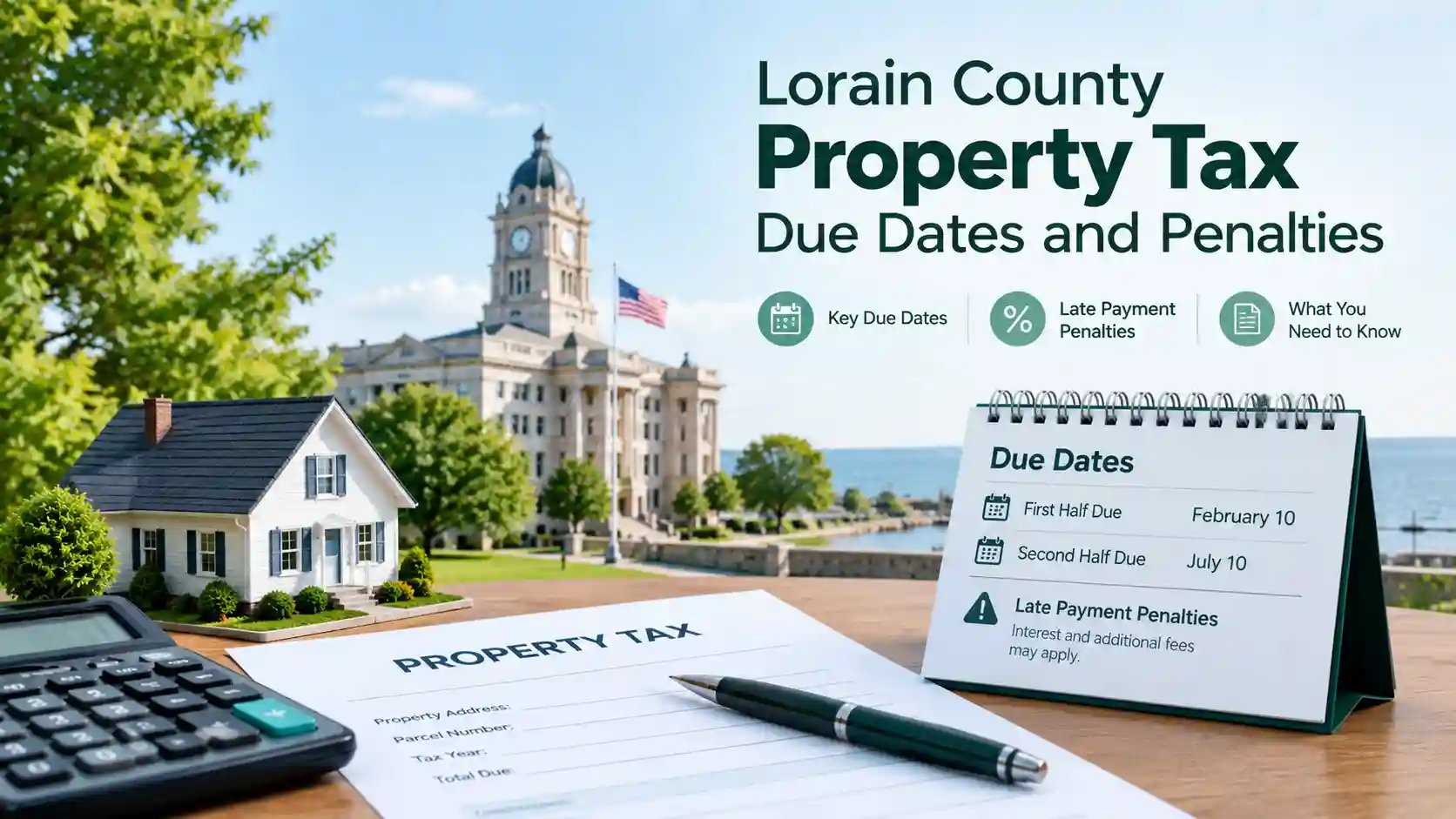
Lorain County property taxes are generally billed in two installments each year. However, the exact due dates can change from year to year, so check your current tax bill before making a payment.
For more information about property tax payment deadlines and late-payment penalties, see our Lorain County Property Tax Due Dates and Penalties Guide.
If your mortgage company pays property taxes through an escrow account, confirm the payment arrangements with your mortgage servicer and check your property tax account for any outstanding balance.
What Happens If You Miss a Property Tax Payment Deadline?
If you do not pay your property taxes by the applicable deadline, your account may become delinquent, and penalties or other applicable charges may be added. The amount you owe may therefore increase beyond the original tax bill.
If you want to check properties with delinquent taxes, see our Lorain County Delinquent Tax List guide.
If you miss a deadline, take these steps:
- Check your current balance. Review your property tax account to find the outstanding amount.
- Contact the Treasurer’s Office. Ask for the total balance, including any applicable penalties or charges.
- Arrange payment as soon as possible. Follow the payment instructions provided by the office.
- Keep your payment records. Save your receipt or confirmation and verify that the payment has been credited.
If you cannot pay the full balance, contact the Treasurer’s Office to ask whether any payment arrangement is available for your situation. Do not assume that making a partial payment automatically prevents additional penalties.
Tips for Avoiding Late Property Tax Payments
A few simple habits can help you keep track of your property tax bills and reduce the risk of missing a deadline.
- Check due dates early. Review your tax bill and confirm the applicable deadline.
- Keep your property information handy. Save your parcel number, property address, and tax account details so you can locate your bill quickly.
- Allow time for payment processing. Avoid waiting until the last minute, especially when paying online or by mail.
- Review convenience fees before paying. Compare the available payment methods and check the total shown before submitting your transaction.
- Save every payment confirmation. Keep receipts, transaction numbers, and relevant bank statements until the payment appears on your account.
- Check mortgage escrow payments. If your mortgage company handles your property taxes, verify that the payment has been made and credited.
- Contact the Treasurer’s Office if something looks wrong. Ask about a missing payment, an unexpected balance, or a tax bill you have not received.
- Consider monthly prepayments. If you prefer to budget throughout the year instead of paying a large tax bill at once, check whether the county’s prepayment program suits your needs.
The most important step is to verify that your payment has been credited. A confirmation receipt is useful evidence of your transaction, but you should also check your account if the balance does not update as expected.
Can You Pay Lorain County Property Taxes Monthly?
Yes. The Lorain County Treasurer’s Office offers an optional Real Estate Tax Escrow Program, also known as a property tax prepayment plan. It allows eligible taxpayers to make monthly payments toward their current real estate taxes rather than paying the entire amount at once.
The program can help property owners budget for their tax bills throughout the year. However, it does not eliminate property taxes or automatically extend the regular payment deadline.
How the Property Tax Prepayment Program Works
Under the county’s prepayment plan, estimated payments are spread over a 10-month cycle based on the current real estate tax amount.
Here is how the program works:
- Monthly installments: The Treasurer’s Office provides payment coupons based on the estimated monthly amount.
- Payment amounts: Payments may be greater or less than the estimated coupon amount, subject to the program’s terms.
- Payment options: The county’s program instructions explain how to submit prepayments by mail or in person.
- Service charges: The county’s program information states that no service charges apply to the prepayment plan.
- Remaining balance: You must still pay any remaining balance in full by the applicable tax deadline to avoid late penalties.
- Participation requirements: You must follow the program’s terms and payment schedule. Failure to use the coupons as required may result in removal from the plan.
The program is intended for current real estate taxes without existing delinquencies. Contact the Treasurer’s Office to confirm your eligibility and the requirements that apply to your account.
How to Enroll in the Prepayment Program
To ask about joining the Real Estate Tax Escrow Program, contact the Lorain County Treasurer’s Office directly.
Escrow Program phone: (440) 329-5753
Ask about the application process, estimated monthly payments, payment schedule, and the Real Estate Escrow Agreement. The office can explain the terms and conditions before you enroll. For the official eligibility requirements and enrollment details, visit the county’s Real Estate Tax Escrow Program page.
What to Do If Your Property Tax Payment Is Missing or Delayed
If you submitted a property tax payment but your account still shows an outstanding balance, do not immediately assume the payment failed. Processing and account updates can take time, and the next step depends on whether the transaction is pending, completed, or declined.
Check Your Payment Confirmation and Bank Statement
Start by reviewing your payment records.
- Find your payment confirmation. Locate the receipt, confirmation number, transaction date, and amount.
- Check your bank or card account. Determine whether the transaction is pending, completed, reversed, or declined.
- Verify the property account. Make sure the payment was submitted for the correct parcel.
- Review your tax balance again. Allow time for processing, then check whether the payment has been credited.
- Keep your records. Save the confirmation and relevant transaction details in case you need to contact the office.
If your bank shows that the payment was completed but your property tax account has not updated, contact the payment processor or Treasurer’s Office for assistance.
Avoid submitting the same payment again until you have checked its status. This can help prevent an accidental duplicate payment.
Contact the Payment Processor or Treasurer’s Office
If you cannot confirm your payment status or your balance remains incorrect, contact the appropriate office.
For an online transaction, use the payment processor’s support details shown on the payment portal or your confirmation receipt. Have the transaction date, amount, and confirmation number available. Never send full card details or sensitive banking information through an unsecured message.
For questions about whether a payment has been received or credited to your property tax account, contact the Lorain County Treasurer’s Office.
- General Treasurer’s Office: (440) 329-5787
- Real Estate Payments: (440) 329-5261
Explain when you paid, which method you used, and whether the transaction appears on your bank or card statement. Keep your confirmation available so staff can help investigate the issue.
Contact the Lorain County Treasurer’s Office
The Lorain County Treasurer’s Office handles real estate property tax collections and can assist with questions about tax balances, payments, and the monthly prepayment program.
| Contact detail | Information |
|---|---|
| Office | Lorain County Treasurer’s Office |
| Address | Lorain County Administration Building, 226 Middle Ave., 2nd Floor, Room 201, Elyria, OH 44035 |
| Main phone | (440) 329-5787 |
| Real Estate Payments | (440) 329-5261 |
| Escrow Program | (440) 329-5753 |
| Office hours | Monday through Friday, 8:00 a.m. to 4:30 p.m. |
| Official website | loraincountytreasurer.gov |
For questions about a missing payment, an unexpected balance, or the amount currently due, have your property address or parcel number ready when you call.
If you need help with monthly prepayments, contact the Escrow Program directly. Before visiting the office, confirm its current hours and any instructions relevant to your payment.
Frequently Asked Questions (FAQs)
Q: Can someone else pay my Lorain County property taxes for me?
Yes, another person may be able to pay on your behalf using the correct property account information and an accepted payment method. Make sure the payment is credited to the correct parcel.
Q: What should I do if my Lorain County property tax bill has an incorrect amount?
Contact the Treasurer’s Office about incorrect balances or charges. For concerns about your property’s assessed value, contact the Lorain County Auditor’s Office.
Q: Can I pay only part of my Lorain County property tax bill?
Contact the Treasurer’s Office to confirm whether partial payments are accepted for your account. A partial payment may not prevent penalties on the remaining balance.
Q: What happens if my mortgage company pays my property taxes?
Your mortgage company may pay your taxes through an escrow account. Check your mortgage statements and property tax account to confirm the payment was made and credited.
Q: How can I get a copy of my Lorain County property tax bill?
Contact the Treasurer’s Office or check the county’s online property tax records. Have your property address or parcel number ready.
Q: Can I get a refund if I accidentally pay my property taxes twice?
Contact the Treasurer’s Office to request a review of the duplicate payment. Keep both payment confirmations and ask whether a refund or account credit is available.
Q: Does paying my property taxes mean my property value or assessment is correct?
No, paying your taxes does not confirm that your property assessment is correct. Contact the Lorain County Auditor’s Office to ask about valuation reviews or appeal procedures.
Q: Can I use the monthly prepayment program if I have delinquent property taxes?
The county’s prepayment program is intended for current real estate taxes without existing delinquencies. Contact the Treasurer’s Office to discuss payment options for overdue taxes.
Final Thoughts
Managing your Lorain County property tax payments is easier when you know where to pay, understand the available payment options, and verify that your payment has been credited. Whether you choose the online portal, mail, or an in-person visit, keep your payment records and allow enough time for processing.
If paying the full amount at once is difficult, the Real Estate Tax Escrow Program may help you budget through monthly prepayments. For payment issues or questions about your balance, contact the Lorain County Treasurer’s Office before taking further action.