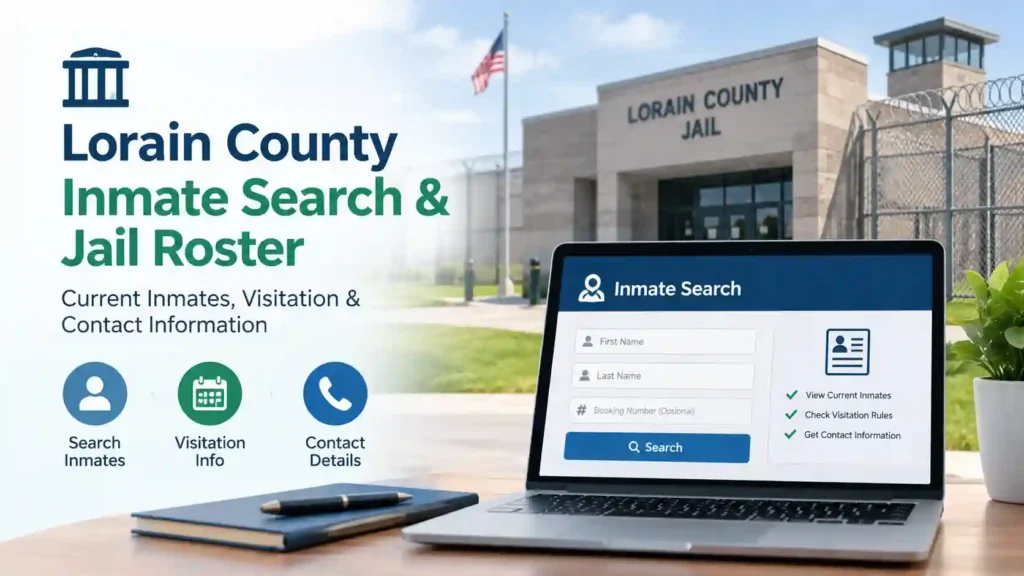
Looking for someone in Lorain County custody? The official Lorain County Jail inmate search lets you check current bookings and custody records online, with no third-party sites and no guesswork. Search by name, subject number, or booking number, then review the charges, booking details, and bond information shown in the record.
Online records can change without notice, so confirm time-sensitive details directly with the Lorain County Sheriff’s Office before you travel or pay any money. This guide explains how the search works, what each result tells you, how to contact the jail, and how to arrange a video visit.
How to Find an Inmate in Lorain County Jail
The Lorain County Inmate Search Tool is the official starting point for checking the jail’s online inmate records. It provides search fields for identifying a person and reviewing available booking and custody information. The results reflect the information available in the online system and may change as records are updated.
Start with the Lorain County Inmate Search Tool.
Step 1: Open the Official Inmate Search Tool
Open the official search portal in your browser. Before entering information, look at the available fields so you can choose the search method that best matches what you know about the person.
The portal includes fields for Name, Subject Number, Booking Number, In Custody, Booking From Date, Booking To Date, and Housing Facility. You do not need to guess a booking number if you only know the person’s name; begin with the information you have and narrow the results if necessary.
Step 2: Search by Name, Subject Number, or Booking Number
Choose the search field that matches the information available to you.
- Name: Enter the person’s first or last name. If a full-name search returns no results, try the last name alone or check for spelling variations.
- Subject Number: Use this identification number if you already have it. It can help distinguish a person from others with similar names.
- Booking Number: Enter the booking number when it is known. This can help identify a particular booking record.
- Booking From Date and Booking To Date: Use these fields to narrow the search to a relevant booking-date range.
- Housing Facility: Select an available facility when you need to narrow the results by location.
For the most useful results, start with the most reliable detail you have. If an exact search does not work, remove unnecessary details or try another available field rather than assuming the person is not in custody.
Step 3: Filter for Inmates Currently in Custody
Use the In Custody field to narrow the search to records marked as being in custody. Review the status shown in the results instead of relying on a name match alone.
Keep in mind that an online result is a snapshot of the information available in the system. If you need to confirm whether someone is in custody right now, contact the Sheriff’s Office, especially if the matter is urgent or the record may have changed recently.
Step 4: Review the Inmate’s Record
After locating a matching result, check the details carefully before treating it as the correct person. Depending on the record, the portal may display:
- Name and Subject Number: Help identify the person listed in the system.
- In Custody status: Shows the custody indicator available in the online record.
- Scheduled Release Date: May show a planned release date when one is available.
- Housing Facility: May identify the facility associated with the record.
- Other identifying details: The results may also display information such as date of birth, gender, height, weight, and whether multiple bookings are recorded.
Not every field will necessarily be populated for every record. Compare more than one identifying detail when names are similar.
For more details about jail photos and related public records, see our Lorain County Jail Mugshots & Public Records Access guide.
A scheduled release date is not confirmation that a person has been released. Release timing and custody status can change. For confirmation of a current status or other time-sensitive information, contact the Lorain County Sheriff’s Office directly.
What If the Inmate Does Not Appear in the Search?
A missing search result does not necessarily establish that the person has never been booked or is not currently in custody. Try these steps:
- Check the spelling of the first and last name and try searching by only one name.
- Use another search field, such as the Subject Number or Booking Number, if you have it.
- Review the booking-date filters and make sure they are not excluding the relevant record.
- Allow for possible record-update delays after a booking, transfer, or release.
- Contact the Sheriff’s Office if the person still cannot be located or you need a reliable answer.
For urgent or time-sensitive questions, use the official contact details below instead of relying only on an online search.
Lorain County Jail Contact Information
If you cannot find the record you need or want to confirm custody information, contact the Lorain County Sheriff’s Office and Correctional Facility.
Address:
9896 Murray Ridge Road
Elyria, OH 44035
Main phone: 440-329-3709
Inmate Information: 440-329-3770
Official website: Lorain County Sheriff’s Office
Use the main phone number for general facility questions and the Inmate Information number for inmate-related inquiries. Have the person’s full name and any available identification or booking number ready when you call. Confirm important details directly with the office because online records may not reflect the latest change.
How to Visit an Inmate at Lorain County Jail
The Lorain County Sheriff’s Office lists inmate visitation as off-site only, with video visits arranged through ICSolutions. Before trying to schedule a visit, check the provider’s current instructions and make sure the inmate is eligible for visitation.
How to Register for Video Visitation
Use the official ICSolutions visitor system to begin the registration and scheduling process.
In general, visitors need to:
- Create an ICSolutions account or sign in to an existing account.
- Register for visitation and select the relevant facility.
- Identify the inmate they want to visit and provide the required relationship and registration details.
- Follow the system’s instructions to complete registration and check available visit appointments.
Visitors must be registered and can generally visit only inmates included on their approved visitor list. Follow the instructions displayed for Lorain County because facility-specific requirements may apply. You can also review the provider’s visitation registration instructions.
Check Visit Eligibility and Scheduling Rules
The Sheriff’s Office states that inmates can access visitation after completing the facility’s orientation period. It also notes that different housing units may have different visitation days and times.
Before scheduling, confirm that:
- The inmate is eligible for visitation and has completed any required orientation period.
- Your visitor registration is complete and any required approval has been granted.
- An appointment is available for the inmate and the intended visit time.
- You understand the current visitation rules, including any identification requirements or restrictions shown by the facility or provider.
Do not assume that a visit can be booked immediately after an arrest or booking. Check the ICSolutions visitor system for current scheduling information and contact the Lorain County Sheriff’s Office if you need clarification about facility-specific eligibility or rules.
How to Send Mail to an Inmate
Lorain County Jail processes approved personal correspondence through an external scanning service. Personal letters must be sent to the designated mailing address, not directly to the jail’s street address. Follow the facility’s instructions carefully so the mail can be identified and delivered correctly.
Where to Send Personal Inmate Mail
The Sheriff’s Office states that approved personal mail is sent to TextBehind, where it is scanned and uploaded for inmates to view on tablets or housing-area kiosks. The physical mail is shredded after 30 days.
Address personal mail using this format:
Lorain County Sheriff’s Office
Inmate Name and Inmate Number
P.O. Box 247
Phoenix, MD 21131
Include the inmate’s full name and inmate number. Before sending a letter, check the official inmate correspondence instructions for the current address and requirements.
Mail Restrictions and Legal Correspondence
The jail does not accept every type of mail. Incoming correspondence is inspected, and items that violate facility rules may be rejected.
- Magazines, newspapers, and periodicals: The jail does not accept these publications.
- Packages: Packages are not accepted without prior written approval from the Jail Administrator or an authorized designee.
- Money: Do not send cash or other funds through inmate mail. The jail does not accept money by mail.
- Privileged correspondence: Mail from qualifying sources, such as courts and legal counsel, follows separate procedures. This correspondence is opened and inspected in the inmate’s presence to check for contraband.
Follow the jail’s correspondence rules before sending anything other than a standard personal letter.
How to Add Money to an Inmate’s Account
Family and friends can add money to an inmate’s account using the payment options available for Lorain County Jail. These include an online deposit service and a lobby kiosk. Before making a deposit, confirm the inmate’s details and the type of account you want to fund.
Deposit Money at the Jail Lobby Kiosk
A money-transaction kiosk is available in the jail lobby during lobby hours, listed as 7 a.m. to 7 p.m. daily. It accepts cash, debit cards, and credit cards.
Check the inmate information and transaction details carefully before confirming payment. The Sheriff’s Office states that it is not responsible for transaction errors, so make sure the details are correct before completing the deposit.
Deposit Money Online
To deposit money online, visit Access Corrections and follow the instructions to locate the inmate and submit your payment.
Before completing the transaction, verify the inmate’s details, review any applicable fees, and confirm the account you are funding. Follow the payment provider’s current instructions and keep the confirmation for your records.
Understand Commissary and Phone Account Differences
Commissary deposits and phone-service payments may use different systems. Money added for commissary purchases should not be assumed to cover phone calls or other communication services.
Before making a payment, identify which service you want to fund and follow the instructions for that service. Confirm the account type before submitting the transaction to avoid sending money through the wrong payment system.
How to Check Inmate Booking, Bond, and Release Information
If you need to check why someone was booked, whether bond information is available, or whether they have been released, start with the official Lorain County Sheriff’s Office inmate records. Online information can help you review a record, but important details should be confirmed directly with the appropriate office.
Find Available Booking and Bond Details
Visit the official Lorain County Sheriff’s Office jail page and open the inmate search or bond information option. Search for the person using their name or another available identifier, then review the matching record.
The information displayed may vary by record. Review any available booking details, custody status, bond information, and court-related details carefully. If the bond amount is missing or unclear, contact the Sheriff’s Office Records Division or the relevant court for clarification.
Keep in mind that a listed bond amount does not necessarily explain every requirement for release. Confirm the applicable conditions and procedures with the appropriate office before making arrangements.
Confirm an Inmate’s Release Status
To check whether someone is still in custody, return to the online inmate search and review the latest available custody information. If the person’s record is no longer appearing, do not assume that this alone confirms their release.
A scheduled release date is not a guarantee of actual release. The timing may change, and online information may not reflect the latest status immediately.
If you need confirmation to arrange transportation, coordinate with family, or make other time-sensitive plans, contact the Lorain County Sheriff’s Office directly.
Frequently Asked Questions (FAQs)
Q: How Soon After an Arrest Does an Inmate Appear Online?
A newly arrested person may not appear in the online inmate search immediately. Processing and record updates can take time, so check again later if the person is not listed. If you need to confirm a recent arrest, contact the Lorain County Sheriff’s Office rather than relying solely on the online roster.
Q: Does the Lorain County Inmate Search Show Mugshots and Charges?
The information available depends on the record and the system displaying it. The inmate search may show a photo and identifying details, while booking or bond records may provide additional information. If a charge or booking detail is missing, verify it through the Sheriff’s Office Records Division or the relevant court.
Q: Can I Find Old Lorain County Jail Booking Records?
The current inmate search may not provide every historical booking record. For older information, contact the Lorain County Sheriff’s Office Records Division and provide the person’s name and any details that can help identify the relevant record, such as an approximate date or date range. Some records may require a formal public-records request or a copy fee.
Q: What Should I Do if Online Inmate Information Appears Incorrect?
Contact the Lorain County Sheriff’s Office Records Division if a name, booking detail, or other information appears inaccurate. Explain which detail needs clarification and provide identifying information to help staff locate the correct record. If the issue concerns a court filing, charge, or case outcome, confirm the information with the relevant court as well.
Final Thoughts
Finding reliable inmate information is important when you need to confirm someone’s custody status, arrange a visit, send mail, or provide financial support. The official Lorain County inmate search is a useful starting point, but online records may not reflect every recent change.
Before making travel arrangements, scheduling a visit, or sending money, verify the current information and follow the facility’s instructions. Contact the Lorain County Sheriff’s Office directly when details are unclear or time-sensitive to avoid relying on outdated information.